How To Schedule Blog Posts to be Published at a Later Date

Published Oct. 28th 2010

As I stated last week, it takes a lot of work to attract readers to your art blog, but only a few weeks of non-posting to lose them forever. That’s why it’s important to write blog posts ahead of time and schedule them for future posting; especially when you know your schedule won’t permit you to post on a regular basis.

Below are the three steps necessary for automating your blog posts.

Step 1: Start at Blogger.com

Go to http://blogger.com and click sign in.

blogschedule1

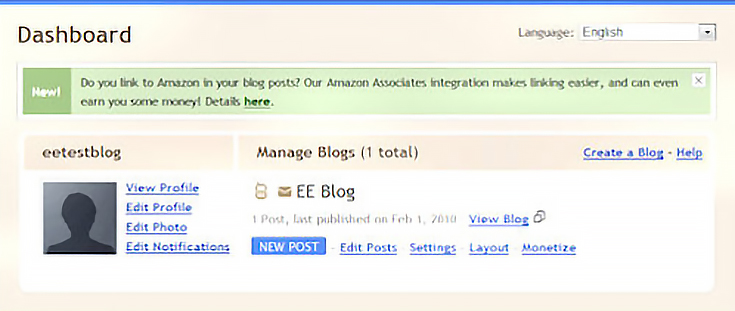
Click on the blue “new post” button.

blogschedule2

Step 2: Select post options

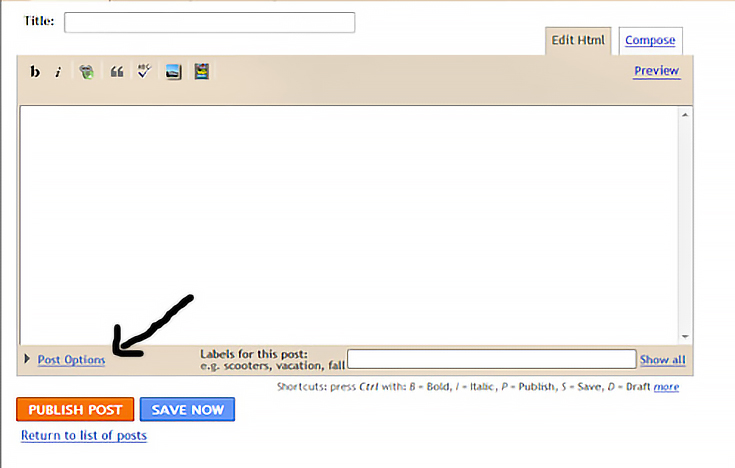
Once you are on the “new post” page, click on the “post options” link on the lower, left corner of the page.
blogschedule3

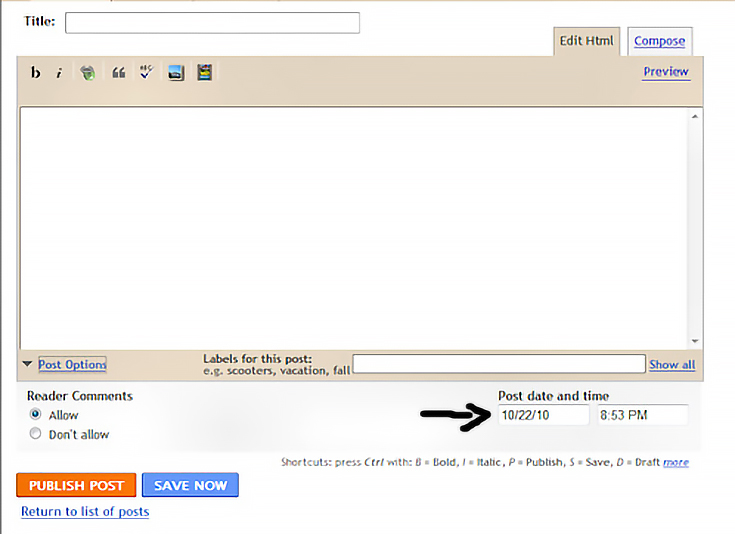
After clicking on the “post options” link, a new box will appear on the screen just below the new post box.
blogschedule4

It’s here that you will schedule when your posts will go live on your blog.

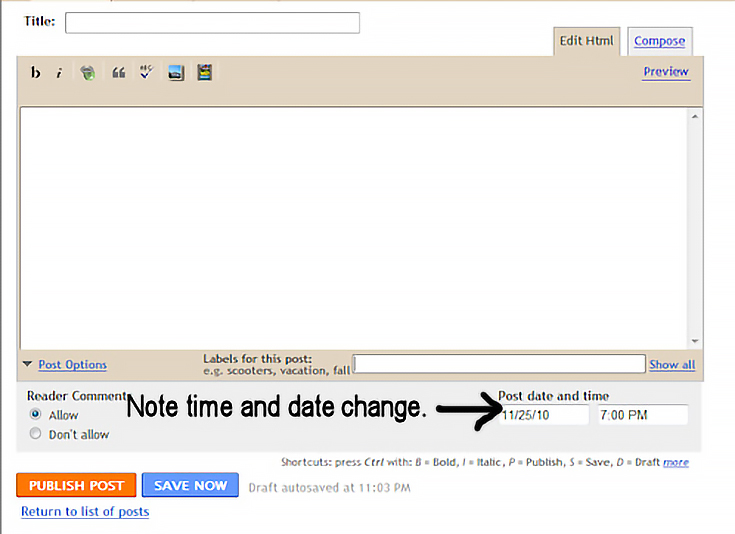
Personally, I like to change the post date and time before I begin writing my post, that way I don’t forget later and accidentally publish a post that was meant to be published at a later date and/or time.
blogschedule5

Step 3: Schedule your post

Once your post date and time have been changed and your post has been written, click the orange “publish post” button.
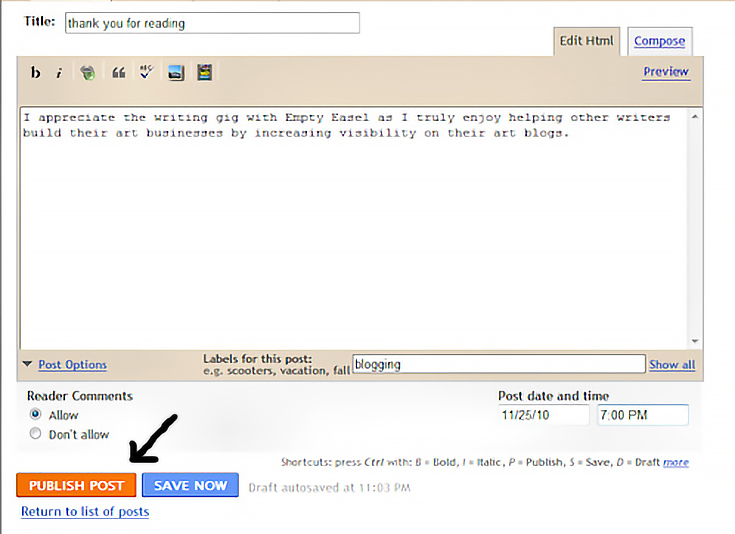
blogschedule6

After clicking on the “publish post” button, you’ll be taken to a new screen which will show you what day your post is scheduled to go live.
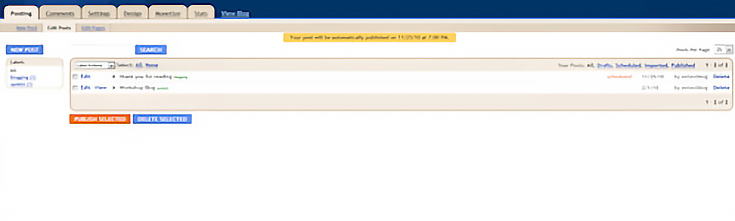
blogschedule7

You’ll see a yellow box at the top, center, telling you that your post will automatically be posted on the date and time you chose.
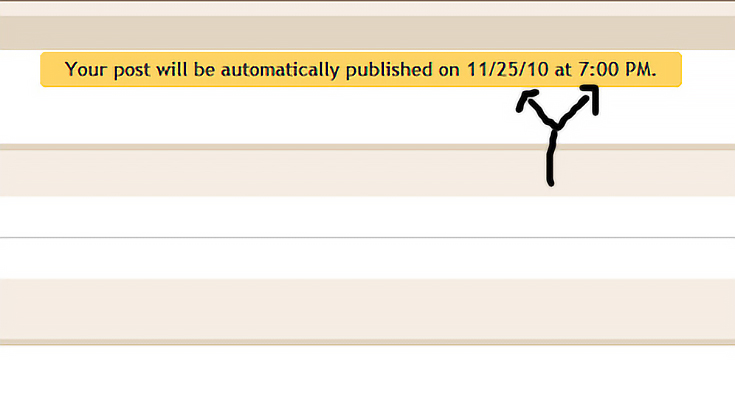
blogschedule8

Then on the actual post line, you’ll see an orange word that reads “scheduled” next to the date your post is scheduled to go live.
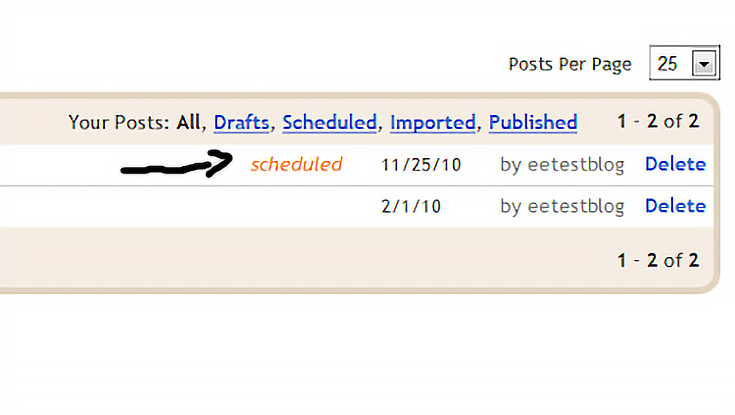
blogschedule9

And that’s it!

As you can see, it’s actually very simple to schedule your posts to be published on certain days and at certain times. Next time you realize that you’re getting too busy to blog regularly, give it a try!

Did you like this article?
Please stumble it so others will find it or check out the related posts below.
Finally, my "big project" is finished! It’s been a crazy day with a lot going on, but foliotwist.com is finally live and online! Since I’ve kept it a complete secret up until launch, here’s a quick (mostly visual) overview of what it does. . .read more
People are always short on time. But if you're an art blogger you still want your readers to stick around long enough to read more than one blog post. Luckily, there's a way to solve both problems: just include a "Top Posts" section at the bottom of every blog post (or in your blog's sidebar).. . . read more
Your art blog is more than just a place to show your artwork, announce upcoming shows, and share your life as an artist. It's also your way of explaining to visitors where to buy your art, how to contact you for commission work, and what your terms of service are. That's where pages come in ha. . . read more
In my last blogging tutorial a few weeks ago I showed you how to use Blogger's built-in Popular Posts gadget to create a list of your blog's popular posts. Today I am going to show you how to manually create your own "Top Posts" link list. The advantage is that you have more control over the a. . . read more
Have you ever found yourself short on time, but you just hate to forego writing a new post for your art blog? Well, I have good news. . . there's no need to agonize over written words when a video will do just as well! The next time you're in a bind, head on over to Youtube, scroll through you. . . read more
Stay current.
Subscribe to EmptyEasel's free weekly newsletter for artists. Sign up today!
CanvasFlyer
Art Contests
EE Writers
Alyice Edrich Cassie Behle Karen Middleton Aletta de Wal Luke Montgomery

Want to be a writer for EmptyEasel? Paid positions are available, and the perks are great! Contact us to apply