
Up until the 21st century, artist portfolios have displayed more than just an artist’s work—they also contain newspaper clippings, magazine articles, and any other form of press coverage the artist receives.
In today’s internet-driven world, however, much of the “press” is online, incorporating both traditional media like newspapers and magazines with new media like blogs, social networks, and forums.
And even though it may seem impossible, it’s a good idea for artists to keep abreast of all forum discussions, blog reviews, and any major media websites that might cover your work or mention your name—especially if you’re selling your art online already.
Luckily, you don’t have to attempt this monumental task alone. The following tools (Technorati and Google Alerts) can easily help you track your press coverage online.
Technorati: keep tabs on the blogosphere
Although anyone can search Technorati for their own name to see how many bloggers are talking about them, it really works best for those who own an art blog themselves and register it—for free—at http://technorati.com/account/signup.
That’s because Technorati is constantly tracking something called “blog authority” which basically keeps count of how many other blogs are actually linking to your blog at any given time (not just talking about you, in other words).
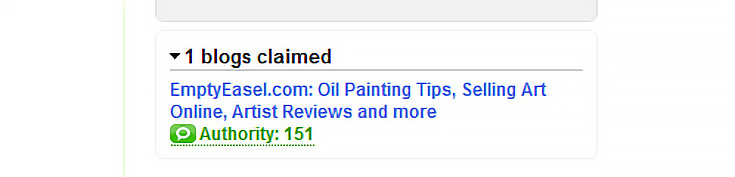
By clicking on the green “authority” link underneath your blog’s basic info, Technorati will show you a long list of every single blog that has linked to you in the past. It’ll look something like this:
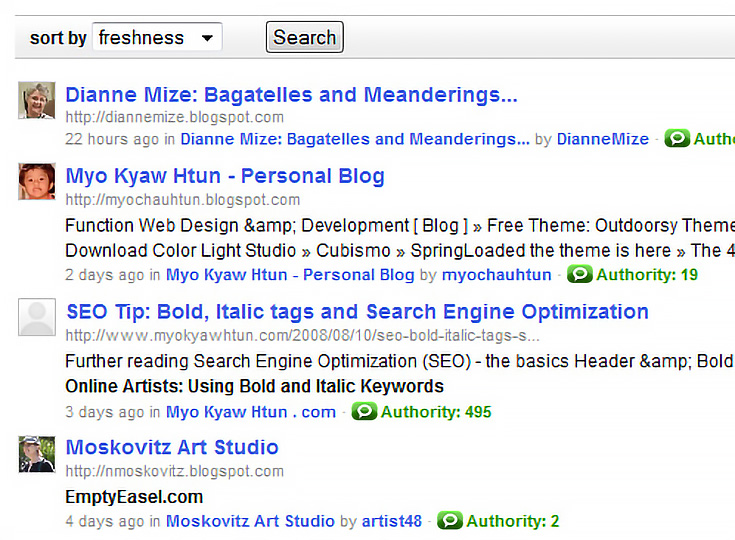
Since most bloggers link out when recommending another blog (or reviewing another artist’s work) it’s often a good indication of a noteworthy post, and one that you might want to save for posterity.
Google Alerts: track the entire internet
Google Alerts is the single most powerful tool I’ve come across for keeping track of press mentions online. It’s also so easy to use that you can set up your own Alert in just seconds. Here’s how it works:
Visit http://www.google.com/alerts and take a look at simple form on the right entitled “Create a Google Alert.”
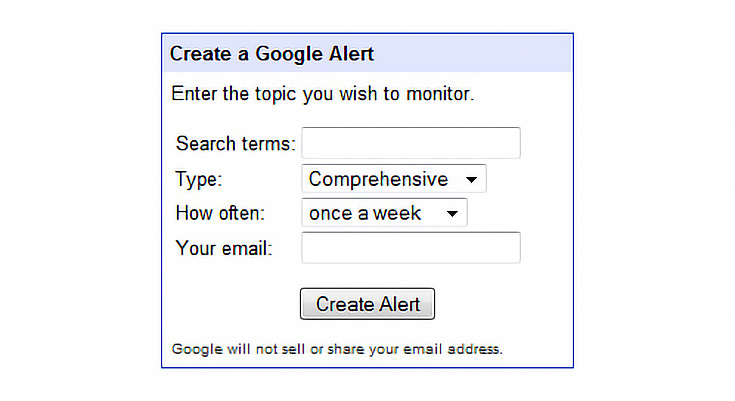
For our purposes, you’ll probably want to monitor all mentions of your name throughout the web, so just enter your full name in the “search terms” field.
NOTE: You might want to put quotes around your name to create more accurate results, e.g., “John Smith” instead of just John Smith.
Choose “comprehensive” for the first drop-down box to make sure that you’ll receive Alerts whether your name pops up in a blog, news site, regular webpage, videos, or forum; and then choose how often you’d like to be notified.
Fill in your email address, click “Create Alert” and you’re done.
From this point on, Google will act as your own personal assistant, scouring the web for any mention of your name and then emailing you when it finds something. (Don’t expect it to send you anything right away.)
Of course, depending on how common your name is, Google Alerts may send you lots of information about people that aren’t you—and as fun as this is at first, it’ll probably get old rather quickly. When you lose interest in their lives, simply add a keyword to your Alert to help it focus more on you.
Good additional keywords for artists would probably be “art” or “painter” or something else specific to you alone. Your new search term should then look something like this: “John Smith” painter.
So go ahead (if you’re curious) and plug your name into Technorati or Google Alerts. You might be surprised to find that someone, somewhere, is already talking about you.

This post may contain affiliate links.