
People are always short on time. But if you’re an art blogger you still want your readers to stick around long enough to read more than one blog post.
Luckily, there’s a way to solve both problems: just include a “Top Posts” section at the bottom of every blog post (or in your blog’s sidebar). This will give your readers access to your best posts right away.
If you’re using Blogger, the first and simplest way of sharing your top posts is to use Blogger’s built in tool called, “Popular Posts.” Here’s how it works. . .
Step 1. Log into your blog
Step 2. Go to your dashboard
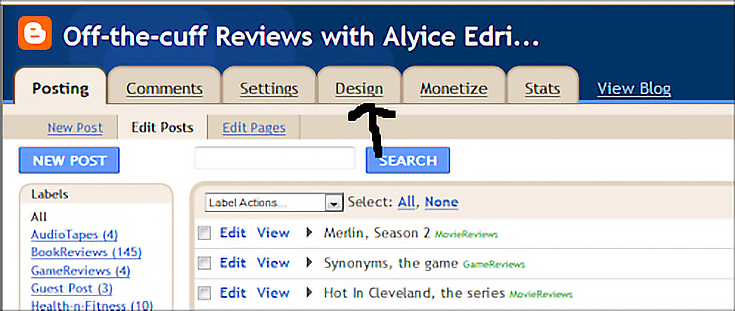
On your dashboard page, click on the “Design” tab.
Step 3. Add a gadget
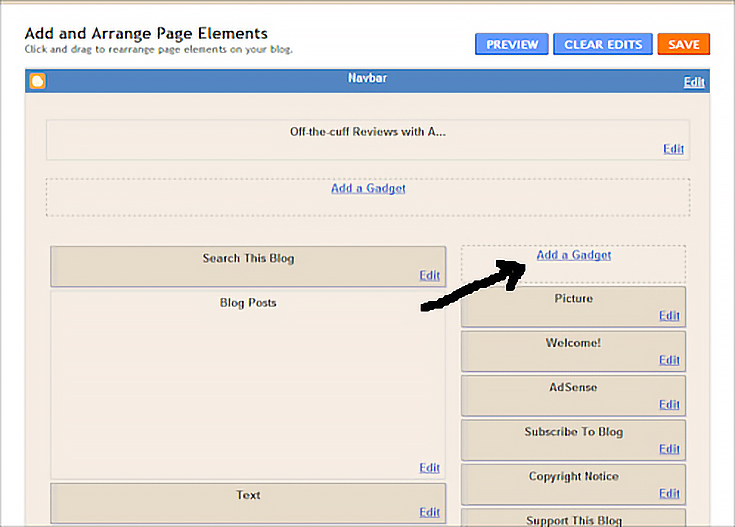
After clicking on the “Design” tab you’ll be taken to the “Add and Arrange Page Elements” screen, where you can edit your blog layout.
On this page you will need to click on the “Add A Gadget” box found in the upper right side of your screen.
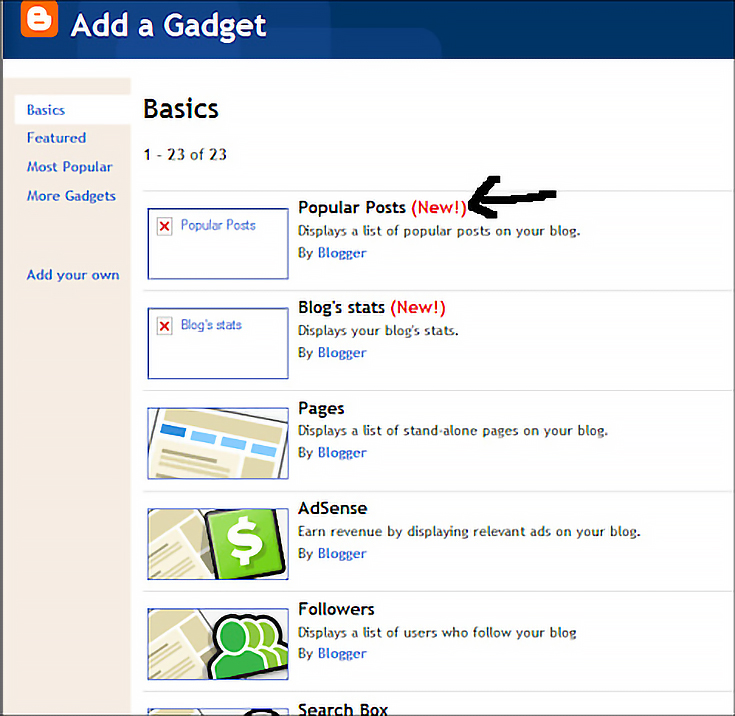
Once you click on the “Add A Gadget” box, a new screen will open up. Locate the “Popular Posts” box and click to add it.
At this point a new screen will appear with the following choices:
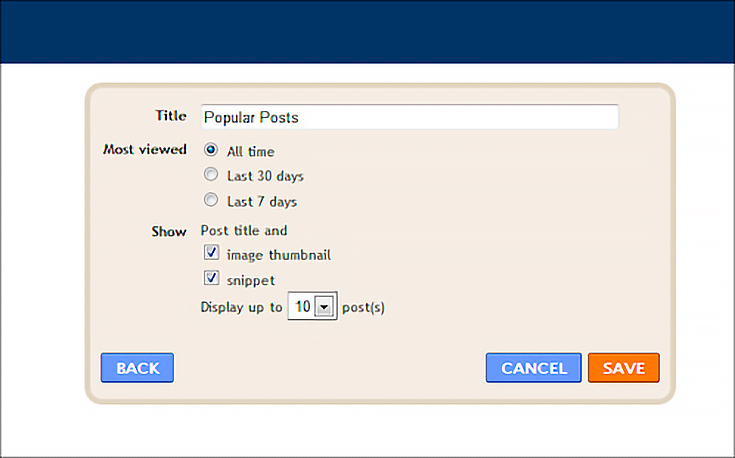
Choose the options that work best for you then click on the orange “Save” button in the lower right corner.
Step 4. Place your gadget
After clicking the orange “Save” button, you’ll be taken back to the “Add and Arrange Elements Page.” You should now see the “Popular Posts” box in the upper right corner, like this:
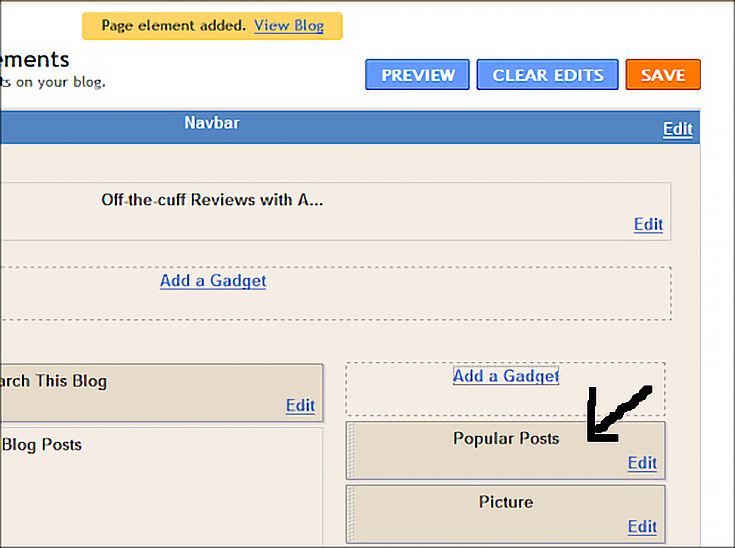
If you’d prefer that your top posts appear at the bottom of your blog pages rather than in the sidebar, simply right-click on the “Popular Posts” box, and, while holding the clicker down, drag that box below the large “Blog Posts” box.
Once it’s in place, simply release the clicker.
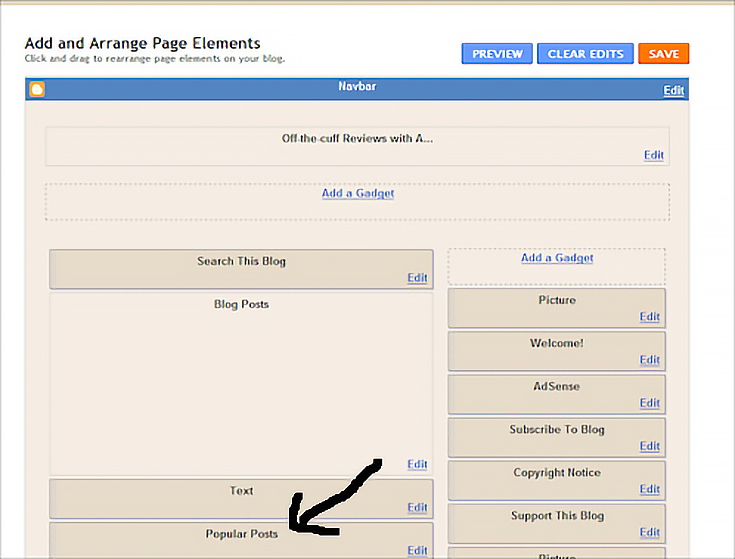
Now that your “Popular Posts” box is where you want it, click the orange, “Save” button at the top of the screen.
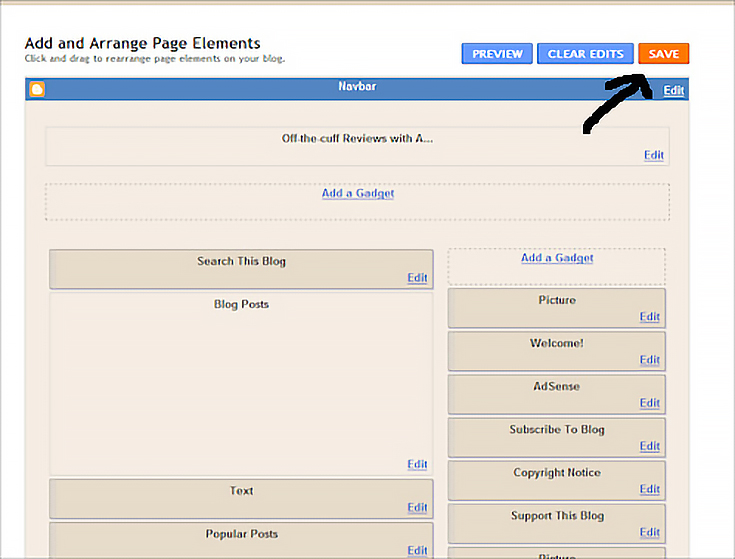
Step 5. Preview your top posts gadget
To make sure your changes took place, click on the blue “Preview” button, located on the left side of the “Save” button.
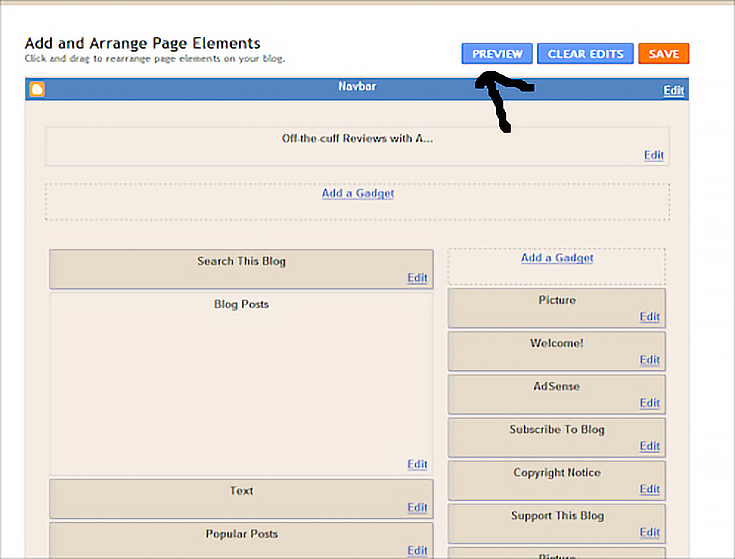
Depending on your settings, your top posts section should look something like this:
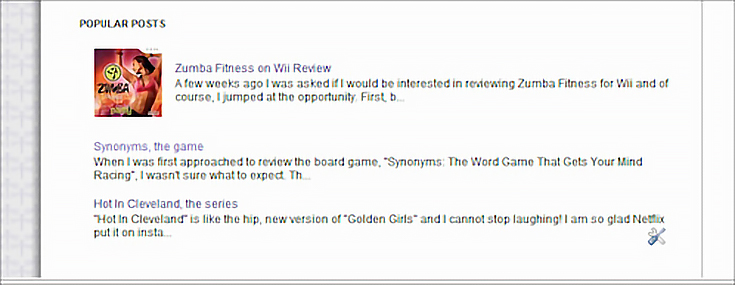
Next time, I’ll show you how to create a “Top Post” section manually, so that you have more control over the posts that your readers see.
Enjoy!

This post may contain affiliate links.